Simplifying Deployment with Docker: A Beginner’s Guide
In application development, Docker has come up as a great tool, changing how we build, deploy, and manage applications. But what precisely is Docker, and how does it tackle the common hurdles encountered during deployment? This article focuses on what Docker is, the challenges it addresses, and how it simplifies the installation process while streamlining application deployment. We will guide you through the fundamental steps needed to set up and run Docker on your local machine, ensuring a smooth start. Additionally, we will provide valuable insights into constructing your very first Dockerized application, empowering you to harness the full potential of this transformative technology.
What Is Docker?
Docker, an open-source virtualization platform, simplifies application development and deployment. By packaging applications with essential dependencies, configuration settings, system tools, environment configurations, and runtime into a single container, Docker streamlines the process of creating and distributing software. It offers management and orchestration tools like Docker Compose and Docker Swarm, making it a versatile solution for both development and operations teams. Docker enhances workflow efficiency and ensures consistency throughout the application lifecycle, from development to production.
What Problem Does Docker Solve?
Before containers existed, the development process involved several challenges. A team of 5-7 developers would individually install and configure all necessary services directly on their local machines. This process varied across operating systems, such as installing PostgreSQL on Mac OS differed from installing it on Windows OS. Additionally, if an application required 10 different services, each team member would have to manually install them, leading to potential human errors.
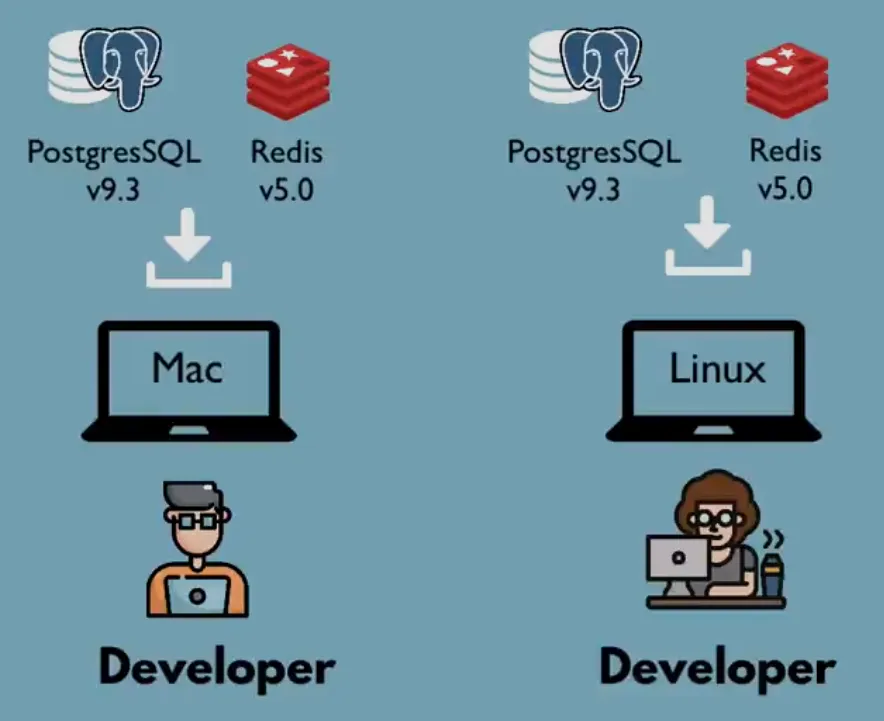
To address these issues, Docker emerged as a solution. Instead of installing each service separately on the operating system, Docker allows for the packaging of everything into containers. These containers can then be easily run using simple Docker commands.
Consider the following scenario: an application utilizes 10 different services. Docker packages each service along with its dependencies and configurations into individual containers. Developers can then simply initiate the services using Docker commands. Below are a few examples of how “docker run” is used to start services:
- docker run postgres
- docker run redis
- docker run ………
The docker command is the same for all the operating systems and it’s easy to run different versions of the same application without any conflicts. This makes setting up the local environment easy for the developers.
How Deployment Is Simplified Using Dockers?
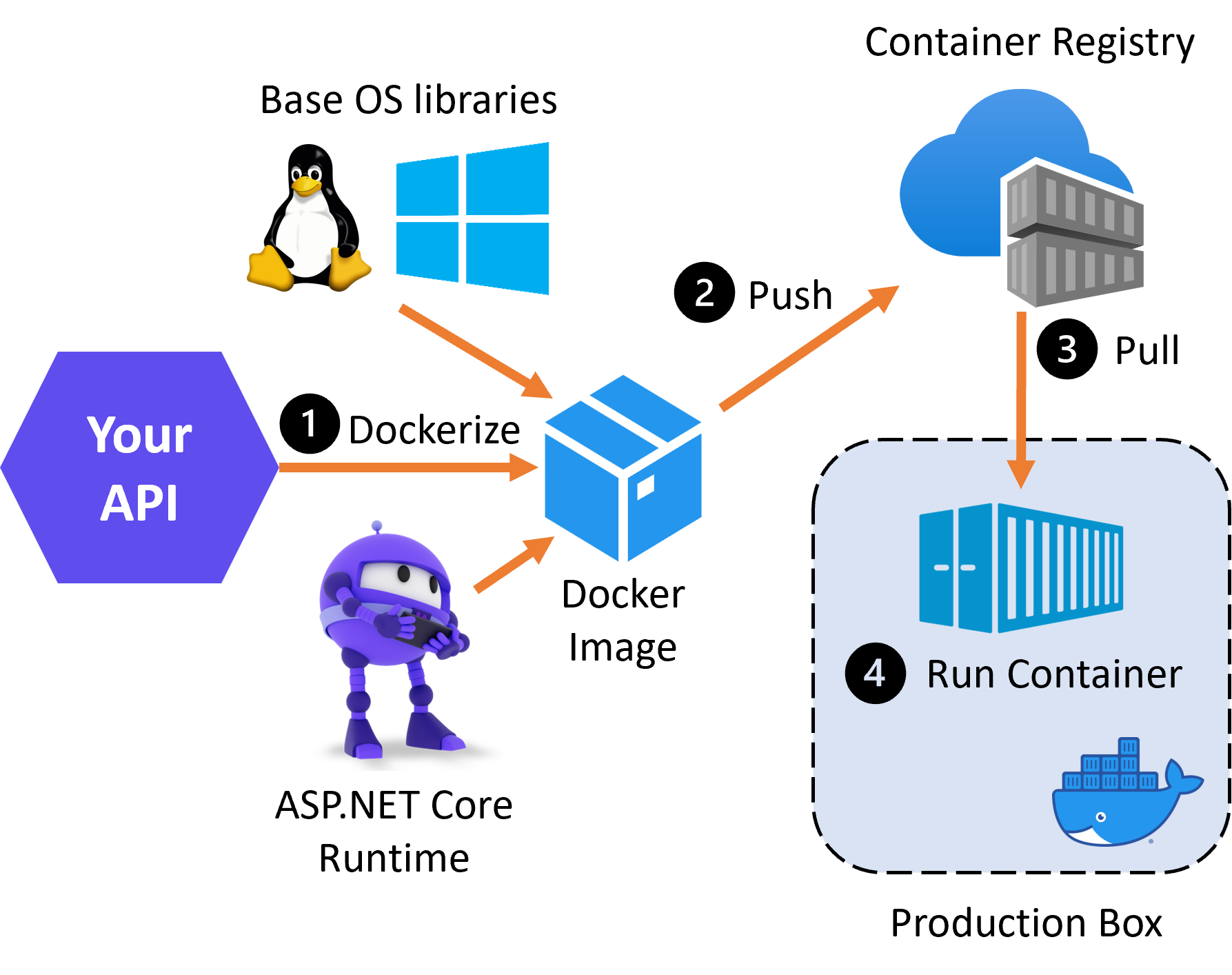
Through the utilization of dockers, developers encapsulate application source code, dependencies, and configurations within an application artifact. This packaging eliminates the necessity for the operations team to perform complex installation processes. Instead, they simply need to install the docker runtime on the server once, enabling the execution of docker commands to retrieve and execute docker artifacts. This streamlined deployment process enhances productivity for both development and operations teams.
Installation of Docker
To obtain the most recent version of Docker, follow these steps:
- Head to the official Docker website here
- Based on your operating system, follow the installation instructions.
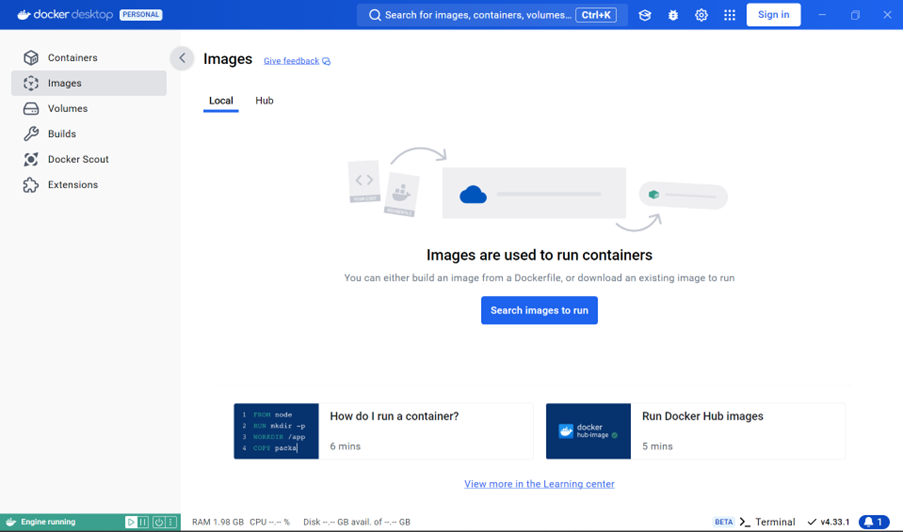
It is highly recommended that you consult the official documentation to be informed of the most recent releases. Once the installation is complete, initiate the Docker service. You should see a display on your local machine that resembles the image below from Docker Desktop.
Build Your First Docker App In .NET 8
Building a Docker-first application with .NET 8 involves several steps, from setting up your .NET project to creating a Dockerfile and running your container. Here’s a step-by-step template to guide you through the process:
Verify The Installation

Set Up Your .NET 8 Project
First, you need to create a .NET 8 application. You can use either the .NET CLI or Visual Studio to do this. Here, I’ll use the .NET CLI for simplicity.
- Create a new .NET 8 console application: dotnet new console -n MyDockerApp
- Navigate into the project directory: cd MyDockerApp
Write Your Application Code
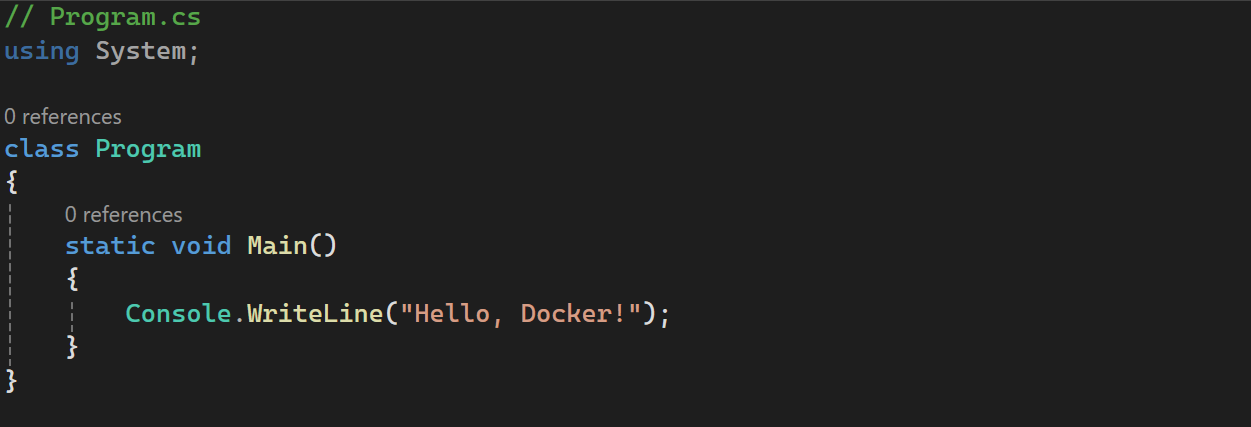
You can replace the default code in Program.cs with your logic. For a simple example, let’s use a basic “Hello, Docker!” application.
Create A Dockerfile
In the root directory of your project (where MyDockerApp.csproj is located), create a file named Dockerfile. This file will define how your Docker image is built. Here’s a basic Dockerfile for a .NET 8 application:
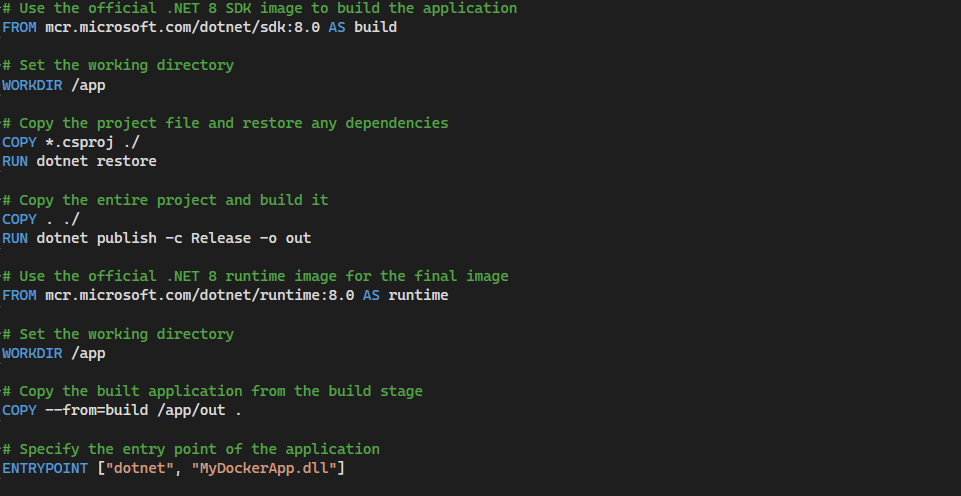
Build And Run Your Docker Image
With the Dockerfile created, you can now build and run your Docker image. Make sure Docker is installed and running on your machine.
- Build the Docker image: docker build -t mydockerapp .
- Run the Docker container:docker run –rm mydockerapp
Verify The Output
After running the container, you should see the output of your application in the terminal:
Hello, Docker!
We’ve now created a simple .NET 8 application, Dockerized it, and run it inside a container. This setup can be easily extended to more complex applications, including ASP.NET Core web apps and APIs. This article summarizes what is docker, how it addresses the development and deployment issues, how it helps in simplification of the development process, the process of installing docker, and finally building a containerized .NET Application. To know more about docker and its usage refer to the official documentation here