LNG LogoLNG Logo
    • Enterprise App Development
    • Product Architecture Design
    • Data Engineering & Analytics
    • Cloud Consulting Services
    • AI-Enabled Applications
    • Remote Engineering Teams
    • UI/UX Design
    • Data Migration
    • Big Data
    • DevOps Solutions
    • Banking
    • Ecommerce
    • Fintech
    • Healthcare
    • Hospitality
    • Manufacturing
    • Telecom
    • Travel
    • Education
    • Cross-Platform & Web Development
    • Digital Experience Platform
    • Enterprise Technologies
    • Modern Frontend Interface
    • About Us
    • Blog
    • Our Team
    • Careers
    • Success Stories
Let's Talk !

"Introduction to Sitecore XM Cloud Components: Latest Guide"

By: Koushik MukherjeeJuly 24, 2024

In my previous blog, we discussed about the basic Sitecore XM Cloud setup on development machine. In this blog post, we will discuss about different components available in Sitecore XM Cloud and how we can use out of the box component in a page.

Components are serves as fundamental elements of a page structure which are used to display content and can conveniently edit visually. Page layout configuration of a page determine the position of the component.

There are various types of components that can be utilized in XM Cloud:

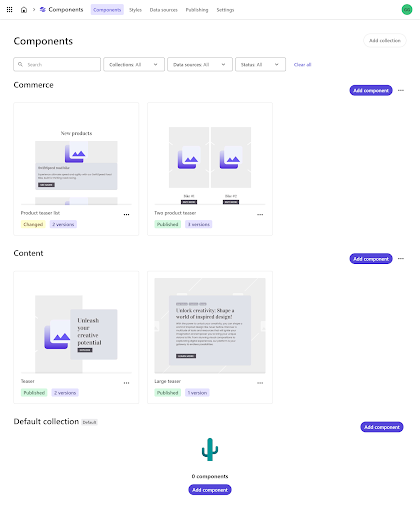
OOTB Components: There are out of the box (OOTB) components available in Sitecore XM Cloud pages. Those are categorized into Commerce, Media, Navigation, Page Content, and Page Structure groups.

Sitecore Components: Designers can create components in XM Cloud Components and prepare them for use in XM Cloud Pages. These components can display static or dynamic content. Data source can be internal, external including Content Hub ONE. They can be configured using the settings in the right-hand pane and styled with themes created in XM Cloud Components Styles. When adding a Sitecore component to a webpage, you can choose to use a specific version or a responsive bundle, which adjusts the component based on the screen size.

SXA Components: Developers can build these components in the Content Editor and save them. These components are them available in content tree under components and can drag and drop onto a webpage in XM Cloud Pages. SXA components can incorporate static content from Explorer, the Sitecore media library, or Content Hub ONE. They can be further configured using the settings in the right-hand pane.

BYOC Components: Bring your own components, here developers can integrate their own code by referencing an external code base that includes components.

Forms: Designers can create forms in XM Cloud Forms to easily send data to third-party applications without capturing user data.

All these components are available in XM Cloud Pages, where you can effortlessly drag them onto the editor canvas to add them to a webpage layout.
Skate Park contact page layout

Below are the steps to create a new page and add component to the page:

 Adding a new Page

  • Navigate to the Pages tab in the left-side menu in Sitecore XM Cloud Pages and click + Create a page.
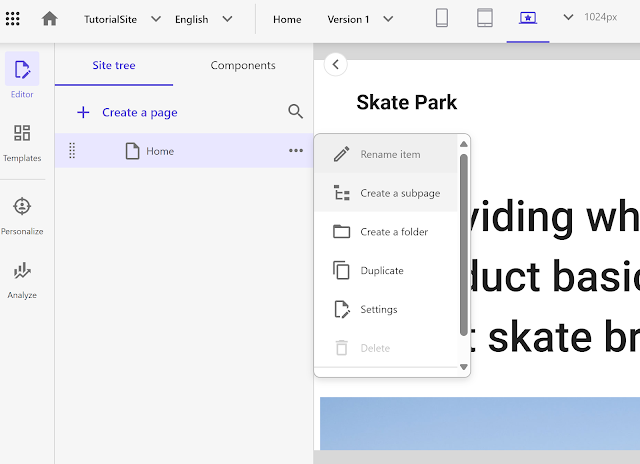
    Site tree options in Sitecore
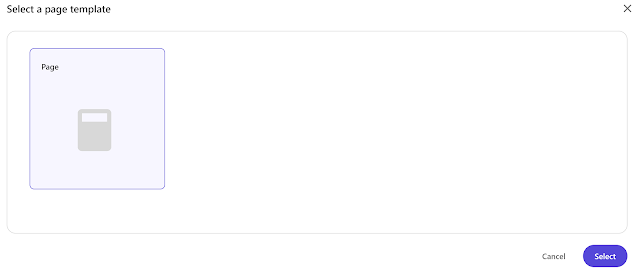
  • Choose the Blank Page template from the dialog box, and click Select.Page template selection screen
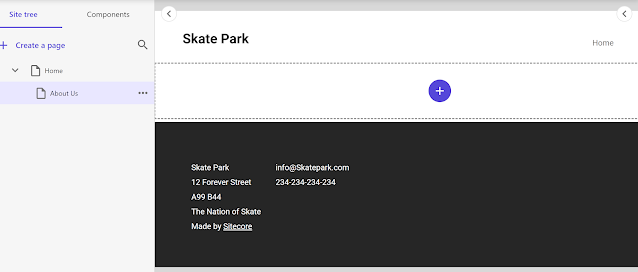
  • Name your new page in Sitecore XM Cloud Pages.Skate Park contact page layout

Adding Components to a Page

  • The new page will have the basic layout that consists of the site title, main placeholder, footer placeholder. Let’s add two columns to this pageSkate Park website design preview
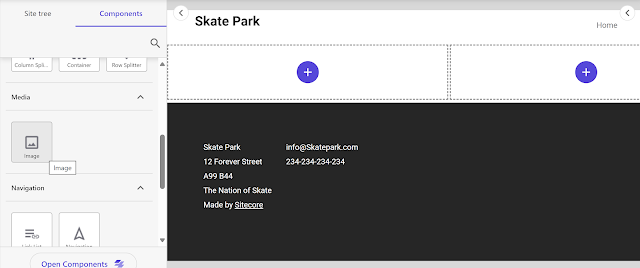
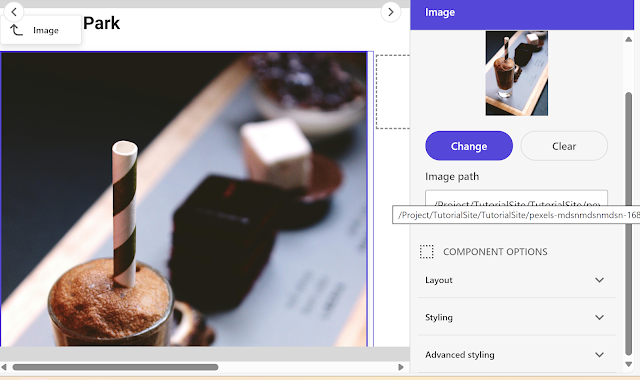
  • Navigate to the Components tab in the left-side menu and choose the component to add to the page. In this example we will use an Image component under the Media section.Image editing in Sitecore
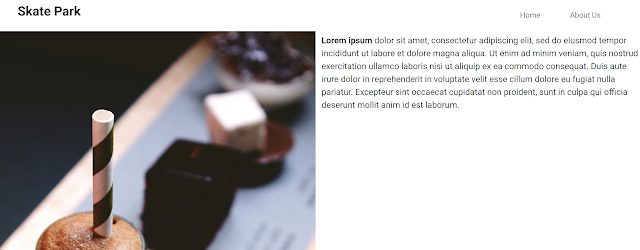
  • Let’s add another component Rich Text to the page.Skate Park website with text and image
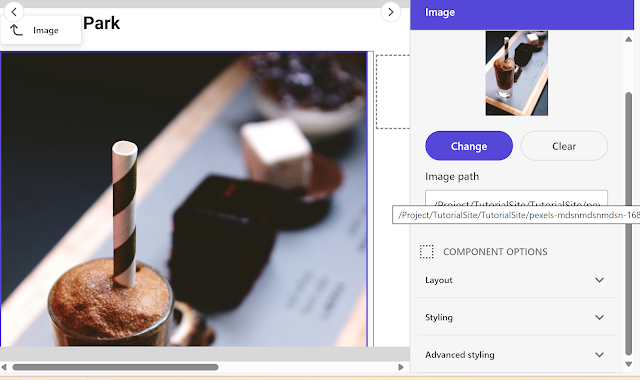
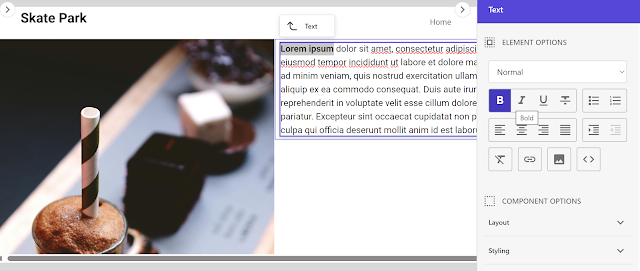
  • Select the component you want to edit, and a menu will appear on the right side of the Pages editor. Here you will find the different component options such as layout, styling, and advanced styling details.Image upload interface in Sitecore
  •  Once done, publish this page.

The out-of-the-box (OOTB) components in Sitecore XM Cloud Page offer a rich digital experience for content editors with its low-code/no-code approach, enabling organizations to seamlessly integrate custom functionality to meet their specific needs.

In the next blog we will discuss how to create a component using component builder.

References-  Components | Sitecore Documentation


SitecoreSitecore BasicsXM Cloud
Two CMSs, One Website: Managing Routing During WordPress to Sitecore MigrationJune 17, 2026Mastering Identity Resolution in Sitecore CDP: Anonymous to Known VisitorsMay 25, 2026

Let's Innovate, Collaborate, Build Your Product Together!

We turn your unique ideas into exceptional results. Contact us to
scale your tech capacity and accelerate business growth.

Let's Talk!
Where We Are

Our Global Presence

Delivering world-class digital solutions from three strategic locations across the globe.

South AfricaSouth Africa
ZACape Town

4th Floor, Mutual Park, Pinelands, Capetown, South Africa - 7405.

UAEUAE
AEDubai

FZCO 421, Dubai Commercity, Dubai, United Arab Emirates.

IndiaIndia
INAmritsar

SCO 6, Floor - 5, Dua Square, Ranjit Avenue, Block - B, Amritsar, Punjab, India - 143002

Logo

AI-Fuelled software agency, helping business professionals to thrive. Trusted by global leaders.

Company

  • About Us
  • Blog
  • Our Term
  • Careers
  • Success Stories

Services

  • AI-Enabled Applications
  • Big Data
  • Cloud Consulting Services
  • Data Engineering & Analytics
  • Data Migration
  • DevOps Solutions
  • Enterprise Application Development
  • Product Architecture Design
  • Remote Engineering Teams
  • UI/UX Design

Industries

  • Banking
  • Ecommerce
  • Fintech
  • Healthcare
  • Hospitality
  • Manufacturing
  • Telecom
  • Travel & Transport
  • Education

Technologies

  • Cross-Platform and Web Development
  • Digital Experience Platform
  • Enterprise Technologies
  • Modern Frontend Interface
Logo

AI-Fuelled software agency, helping business professionals to thrive. Trusted by global leaders.

Company
  • About Us
  • Blog
  • Our Term
  • Careers
  • Success Stories
Services
  • AI-Enabled Applications
  • Big Data
  • Cloud Consulting Services
  • Data Engineering & Analytics
  • Data Migration
  • DevOps Solutions
  • Enterprise Application Development
  • Product Architecture Design
  • Remote Engineering Teams
  • UI/UX Design
Industries
  • Banking
  • Ecommerce
  • Fintech
  • Healthcare
  • Hospitality
  • Manufacturing
  • Telecom
  • Travel & Transport
  • Education
Technologies
  • Cross-Platform and Web Development
  • Digital Experience Platform
  • Enterprise Technologies
  • Modern Frontend Interface

Copyright © 2026 L&G Consultancy. All Rights Reserved.
Privacy PolicyTerms and Conditions
Company Image