LNG LogoLNG Logo
    • Enterprise App Development
    • Product Architecture Design
    • Data Engineering & Analytics
    • Cloud Consulting Services
    • AI-Enabled Applications
    • Remote Engineering Teams
    • UI/UX Design
    • Data Migration
    • Big Data
    • DevOps Solutions
    • Banking
    • Ecommerce
    • Fintech
    • Healthcare
    • Hospitality
    • Manufacturing
    • Telecom
    • Travel
    • Education
    • Cross-Platform & Web Development
    • Digital Experience Platform
    • Enterprise Technologies
    • Modern Frontend Interface
    • About Us
    • Blog
    • Our Team
    • Careers
    • Success Stories
Let's Talk !

Migrating Content and Users with the XM to XM Cloud Migration Tool CLI - L&G Consultancy

By: Koushik MukherjeeSeptember 20, 2025

In my previous blog, I discussed how we can migrate content, media, and users using the XM to XM Cloud Migration Tool – GUI option.

In today’s blog, I’ll walk you through the CLI (Command Line Interface) option, which provides the same functionality but is also ideal for scripting and automation.

Step 1: Configuration Setup

It is very important to use the same configuration settings as in the GUI version, stored in the appsettings.json file.
If needed, you can adjust some values manually. You can also refer to a sample appsettings.json file here.

Key Configurations

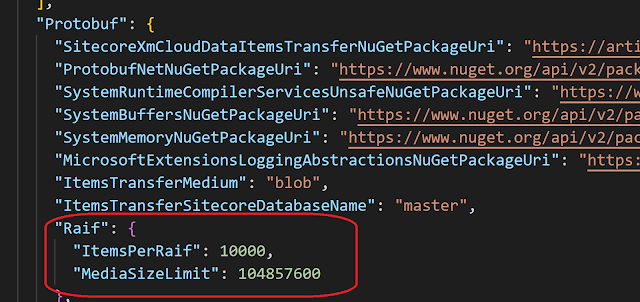
RAIFs Configuration

The XM to XM Cloud Migration Tool transfers content and media via RAIFs (batches).

  • The default values in appsettings.json are balanced for most customers.

  • ItemsPerRaif defines the number of items per transfer.

    • Too low → creates too many RAIF files.

    • Too high → may impact transfer speed.

  • MediaSizeLimit defines the maximum media size per RAIF.

    • Must be a long value.


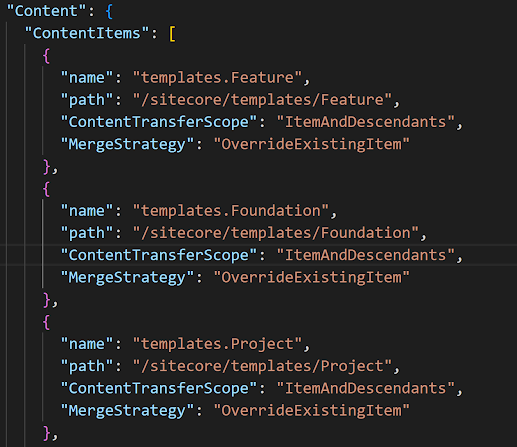
Content Migration Configuration


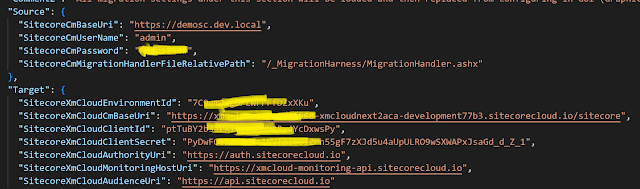
Ensure proper settings for source and target configuration before executing migration.
Step 2: Explore CLI Options

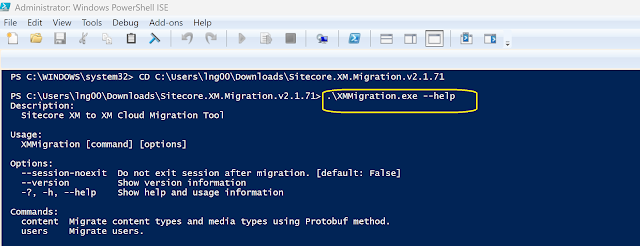
Navigate to the folder containing the console app and run:

.\XMMigration.exe --help


This will display a list of all available commands.
Step 3: Migrate Content

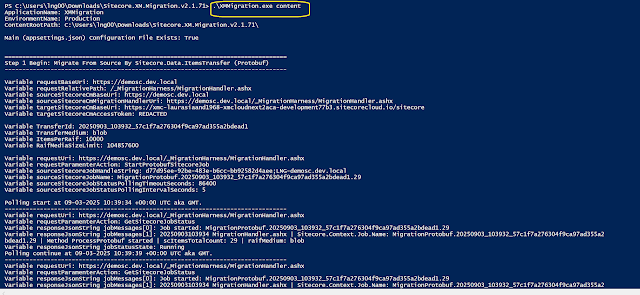
Run the following command to migrate content:

.\XMMigration.exe content
Step 4: Migrate Users

You have multiple options for migrating users:

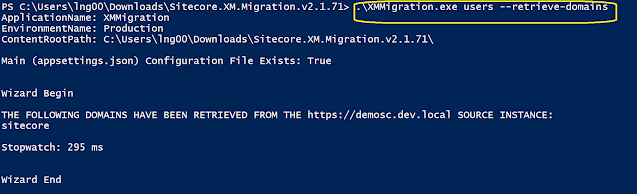
  • Retrieve domains from the source instance

    .\XMMigration.exe users --retrieve-domains
  • Migrate users by passing domains (comma separated)

    .\XMMigration.exe users --migrate-userdomains sitecore
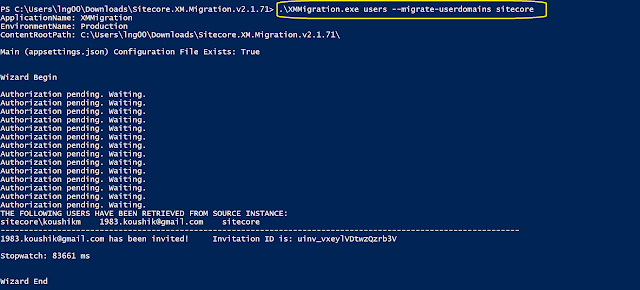
 

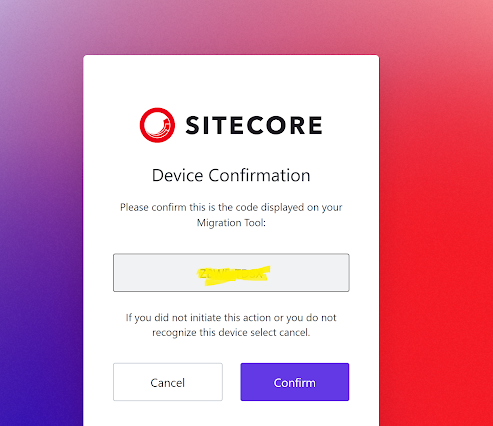
This may ask to login to XM Cloud-


Key Points to Remember

  1. This tool can only be used for “as-is” migration.

    • Content cannot be transformed.

    • Content templates cannot be updated.

  2. Templates must be migrated first, followed by content.

  3. Only media items stored in the database can be migrated.

  4. Best suited for migrating a large volume of legacy content to XM Cloud.

Conclusion

The XM to XM Cloud Migration Tool’s CLI option is powerful for automation and large-scale migrations. With proper configuration and sequence, it ensures a smooth transfer of content, media, and users to XM Cloud.



cloud migrationContent MigrationMedia MigrationSitecoresitecore automationSitecore CLIsitecore devopsSitecore MigrationSitecore Toolsuser migrationXM CloudXM to XM Cloud
Two CMSs, One Website: Managing Routing During WordPress to Sitecore MigrationJune 17, 2026Mastering Identity Resolution in Sitecore CDP: Anonymous to Known VisitorsMay 25, 2026

Let's Innovate, Collaborate, Build Your Product Together!

We turn your unique ideas into exceptional results. Contact us to
scale your tech capacity and accelerate business growth.

Let's Talk!
Where We Are

Our Global Presence

Delivering world-class digital solutions from three strategic locations across the globe.

South AfricaSouth Africa
ZACape Town

4th Floor, Mutual Park, Pinelands, Capetown, South Africa - 7405.

UAEUAE
AEDubai

FZCO 421, Dubai Commercity, Dubai, United Arab Emirates.

IndiaIndia
INAmritsar

SCO 6, Floor - 5, Dua Square, Ranjit Avenue, Block - B, Amritsar, Punjab, India - 143002

Logo

AI-Fuelled software agency, helping business professionals to thrive. Trusted by global leaders.

Company

  • About Us
  • Blog
  • Our Term
  • Careers
  • Success Stories

Services

  • AI-Enabled Applications
  • Big Data
  • Cloud Consulting Services
  • Data Engineering & Analytics
  • Data Migration
  • DevOps Solutions
  • Enterprise Application Development
  • Product Architecture Design
  • Remote Engineering Teams
  • UI/UX Design

Industries

  • Banking
  • Ecommerce
  • Fintech
  • Healthcare
  • Hospitality
  • Manufacturing
  • Telecom
  • Travel & Transport
  • Education

Technologies

  • Cross-Platform and Web Development
  • Digital Experience Platform
  • Enterprise Technologies
  • Modern Frontend Interface
Logo

AI-Fuelled software agency, helping business professionals to thrive. Trusted by global leaders.

Company
  • About Us
  • Blog
  • Our Term
  • Careers
  • Success Stories
Services
  • AI-Enabled Applications
  • Big Data
  • Cloud Consulting Services
  • Data Engineering & Analytics
  • Data Migration
  • DevOps Solutions
  • Enterprise Application Development
  • Product Architecture Design
  • Remote Engineering Teams
  • UI/UX Design
Industries
  • Banking
  • Ecommerce
  • Fintech
  • Healthcare
  • Hospitality
  • Manufacturing
  • Telecom
  • Travel & Transport
  • Education
Technologies
  • Cross-Platform and Web Development
  • Digital Experience Platform
  • Enterprise Technologies
  • Modern Frontend Interface

Copyright © 2026 L&G Consultancy. All Rights Reserved.
Privacy PolicyTerms and Conditions
Company Image