Sitecore XM to XM Cloud Migration tool helps to move content, media and user data from a on-prem Sitecore Experience Manager (XM) instance to a target XM Cloud environment. It is middleware that simplifies the task of entering and selecting data, and orchestrating the migration. The tool is available in both a Graphical User Interface (GUI) tool, and a Command Line Interface (CLI) comprising operations that you can embed into your own tooling.
In my previous blog, I discussed about complete analysis a developer should perform before migrating from Sitecore XP/XM to XM Cloud. In our today’s blog, I’ll discuss about the Sitecore XM to XM Cloud Migration tool Graphical User Interface features and process.
The current version is v2.1.71. Current supported Sitecore XM versions are 9.1+ and 10.0+
Key Features
-
Dual support for GUI and CLI.
-
TreeView selection for choosing content and media items.
-
Media migration via CDN or on-premise MSSQL database binaries.
-
User migration directly into the Sitecore Cloud Portal.
Prerequisites
Before starting, ensure you have:
-
A Sitecore XM on-premise instance with content, media, or users.
-
A fresh XM Cloud environment.
-
Compatible OS: Windows Server 2022, Windows 10 (64-bit), or Windows 11 (64-bit).
What’s Inside the ZIP Package?
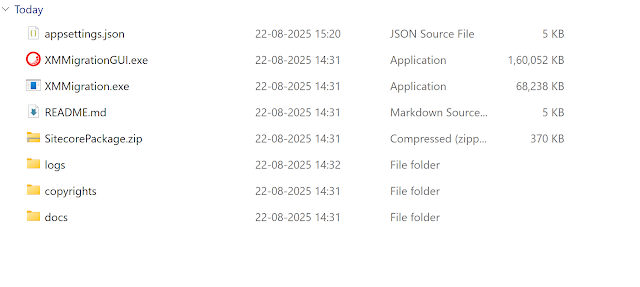
The migration tool’s ZIP file includes:
-
appsettings.json – configuration file.
-
Executable (.exe) to run the application.
-
SitecorePackage.zip – required for setup.
-
Logs folder.
-
README.md – highly recommended to read before starting.
-
Docs folder with details on configuration, dependencies, FAQs, and known issues.
Initial Setup
-
Upload and install the
SitecorePackage.zipfile into your on-prem XM application.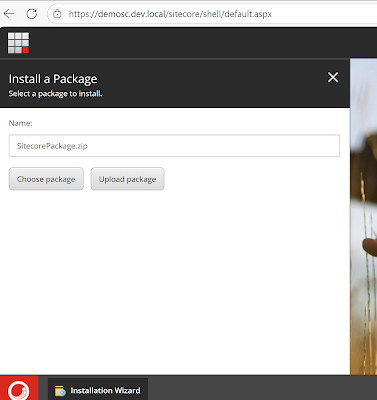
-
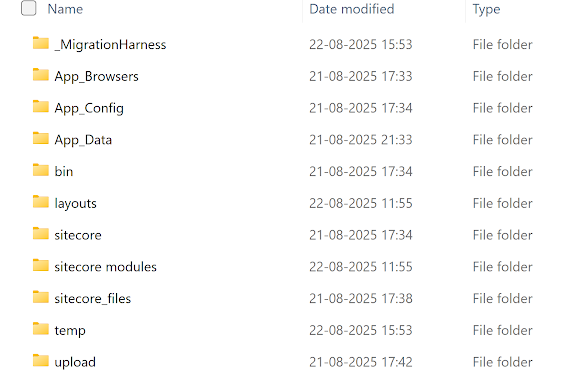
After installation, a new _MigrationHarness folder will appear in your XM root directory.
-
Update the
Web.configfile to include specific<assemblyBinding>entries (for assemblies likeprotobuf-net,System.Buffers,System.Memory, etc.).<probing privatePath="_MigrationHarness/bin" />
<dependentAssembly>
<assemblyIdentity name="protobuf-net" publicKeyToken="257b51d87d2e4d67" />
<codeBase version="2.4.0.0" href="_MigrationHarness/bin/protobuf-net.dll" />
</dependentAssembly>
<dependentAssembly>
<assemblyIdentity name="Microsoft.Extensions.Logging.Abstractions" publicKeyToken="adb9793829ddae60" />
<codeBase version="6.0.0.0" href="_MigrationHarness/bin/Microsoft.Extensions.Logging.Abstractions.dll" />
</dependentAssembly>
<dependentAssembly>
<assemblyIdentity name="System.Buffers" publicKeyToken="cc7b13ffcd2ddd51" />
<codeBase version="4.0.2.0" href="_MigrationHarness/bin/System.Buffers.dll" />
</dependentAssembly>
<dependentAssembly>
<assemblyIdentity name="System.Memory" publicKeyToken="cc7b13ffcd2ddd51" />
<codeBase version="4.0.1.2" href="_MigrationHarness/bin/System.Memory.dll" />
<bindingRedirect oldVersion="4.0.1.1" newVersion="4.0.1.2" />
</dependentAssembly>
<dependentAssembly>
<assemblyIdentity name="System.Runtime.CompilerServices.Unsafe" publicKeyToken="b03f5f7f11d50a3a" />
<codeBase version="6.0.0.0" href="_MigrationHarness/bin/System.Runtime.CompilerServices.Unsafe.dll" />
<bindingRedirect oldVersion="4.0.4.1" newVersion="6.0.0.0" />
</dependentAssembly> -
Adjust the
appsettings.jsonfile if needed, especially the line:
Running the Migration GUI
-
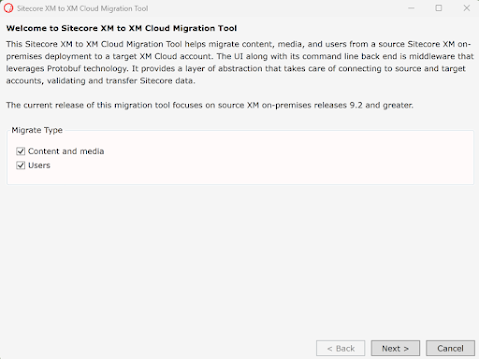
Launch XMMigrationGUI.exe and select the data types to migrate (Content, Media, and Users if required).
-
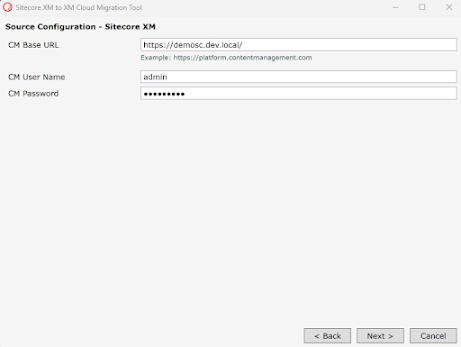
Click on Next and you can see the Source configuration– Sitecore XM/XP on premises.
Please provide CM Base URL, Username and Password.
-
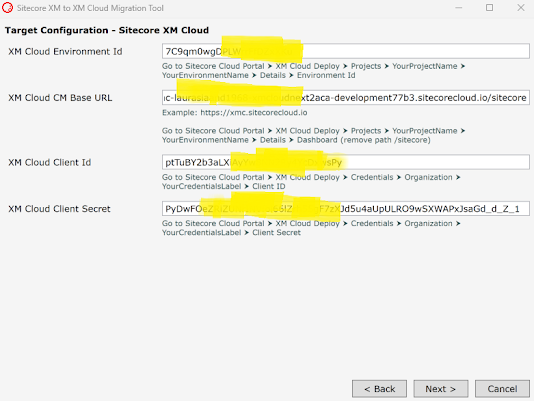
Click on Next button and provide the XM Cloud settings. Please follow the instruction to find the specific data for each fields.
-
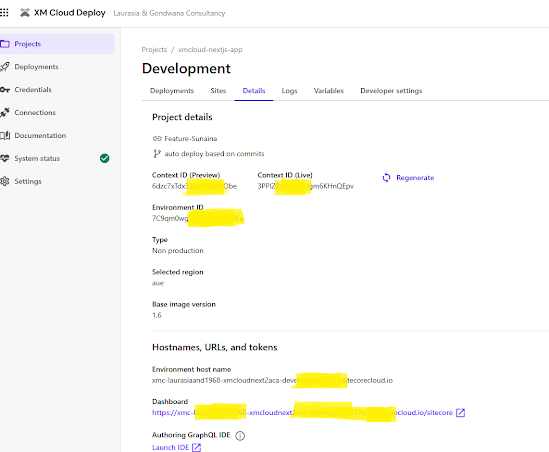
You can get the XM Cloud Envionment related information from the enviornment (in our case Development) details section.
-
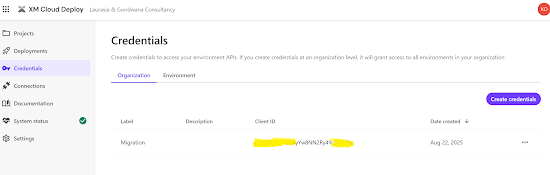
If credentials are not already available, create new Cloud Portal credentials.
-
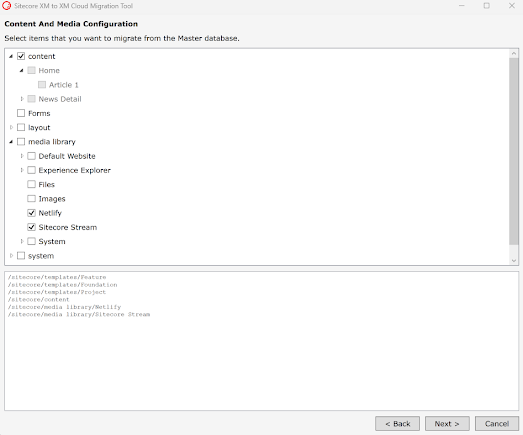
Use the Content Tree view to select the items and Media you wish to migrate.
-
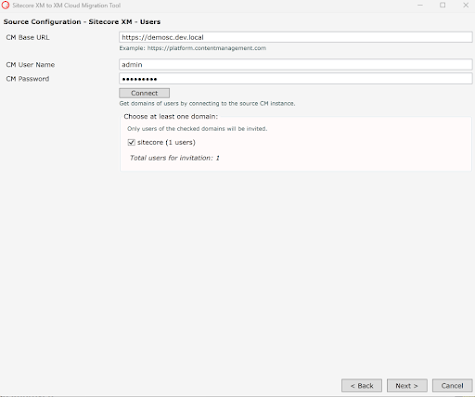
Click on Next, and provide the credential to choose the users you want to migrate.
-
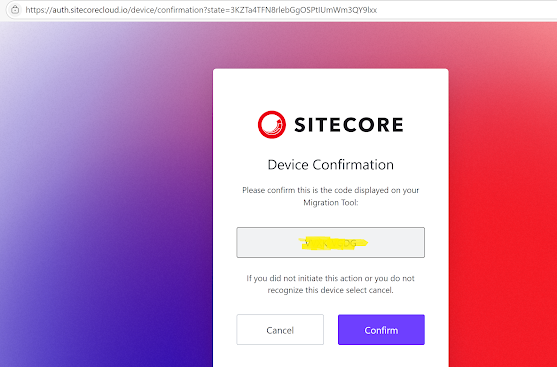
Click the Next button and configure the Users Migration Target Settings. Click the Connect to Sitecore Cloud button and follow the instructions. A new browser window will be opened where you should log in as a Sitecore Portal User and confirm the code that you see in the Migration tool.
-
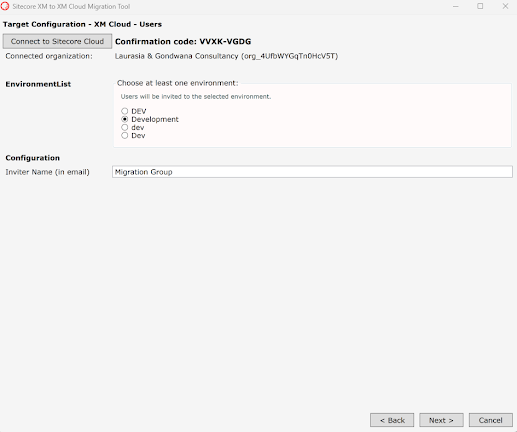
As the last step for users configuration, choose an environment where you would like to invite users under the chosen organization.
-
Review the migration summary and start the process.
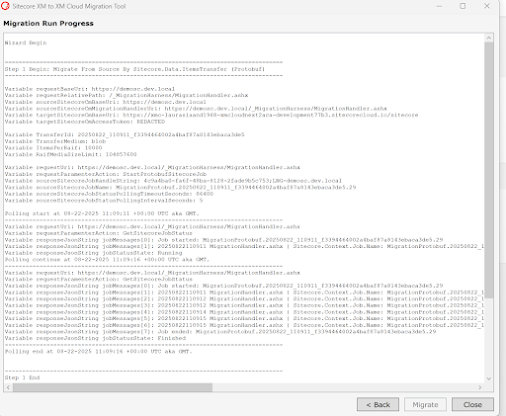
-
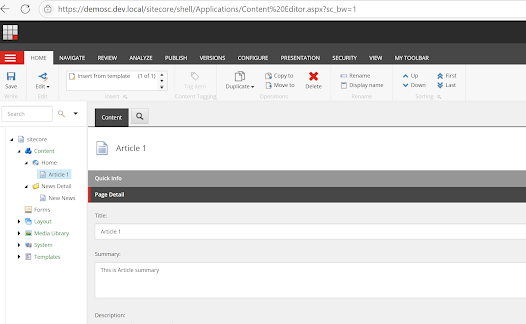
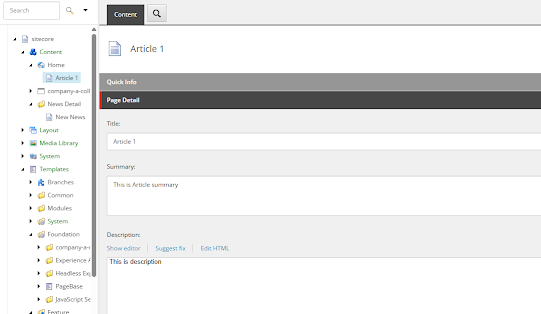
Once complete, your content, media, and users will be successfully migrated to your XM Cloud environment.
On-Prem XM :
XM Cloud
Conclusion
The Sitecore XM to XM Cloud Migration Tool (GUI) provides a guided approach for migrating data from on-premise to the cloud. By supporting both content and user migration, it eliminates much of the complexity involved in traditional migration methods. Whether you’re performing a quick lift-and-shift or preparing for a larger digital transformation, this tool ensures a smooth, reliable, and efficient migration experience.
References