In the September 2024 release for XM Cloud, Sitecore introduced a range of exciting features designed to simplify website management, making it easier for teams to collaborate within a single, centralized application. This update includes enhanced tools for managing site collections, creating new websites, setting site configurations, handling languages, editing hosts, and other features tailored for large-scale, multi-site environments. Let’s take a closer look at each feature.
Site Collections – Simplified Creation and Management
One of the key updates in the September release is the enhanced ability to create and manage Site Collections. Site collections provide a structured way to organize sites, allowing content and templates to be shared seamlessly across sites within a collection. With XM Cloud Sites, you can now create new site collections by providing a Display Name and a System or Item Name, ensuring stable, technical references.
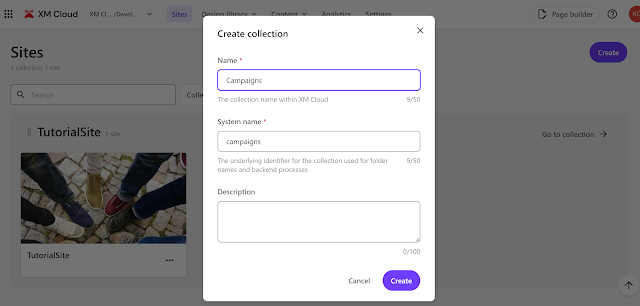
Site Collections help group sites in a way that makes them more accessible, supporting focused content work tailored to specific marketing objectives. This streamlined approach is achieved using the existing Security model, enabling targeted collaboration for marketers.
Site Creation with Templates
Creating new sites within XM Cloud has become even more user-friendly. Users can now select a Site Template that best suits their needs, with each template offering detailed information to ensure a clear understanding of the setup before launching the site.
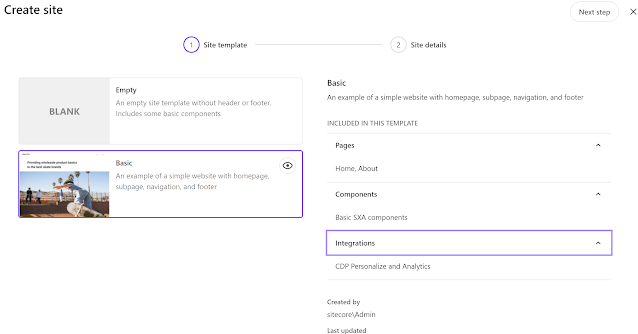
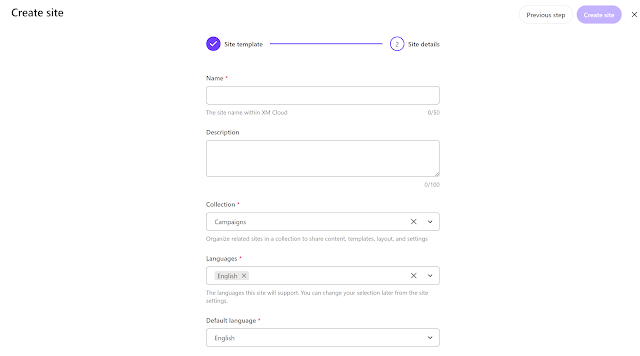
In addition to basic information like site name and language, users can now choose which site collection to install the site into or create a new site collection and name it during setup.
Enhanced Site Search
For those managing multiple sites in a large-scale environment, the new search feature makes it easy to locate specific websites by filtering through site collections. Filters can be reset at any time to view the full list of sites.
Manage Site Settings
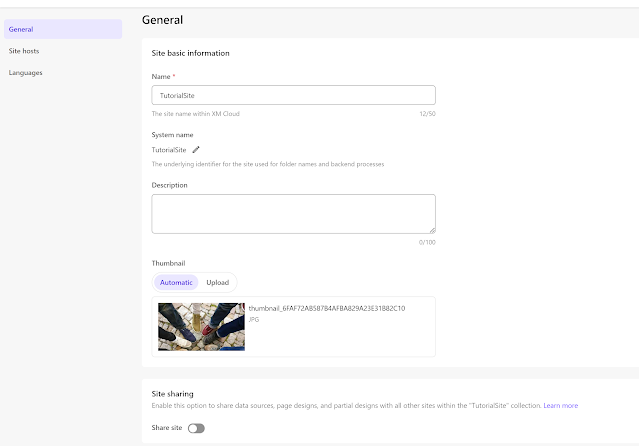
Users can now easily access and configure site settings, including name, system name, and description. New site thumbnails can be uploaded, or existing ones regenerated.
The “Share” option enables users to share content and configurations across sites within a site collection, making it easier to manage centralized content like global campaigns. Presentation-related elements such as page and partial designs, Available Renderings, Styles, and Rendering Variants are also shareable, facilitating centralized site administration.
Under “Site hosts,” users can configure multiple host settings, including host, default languages, and editing host preferences.
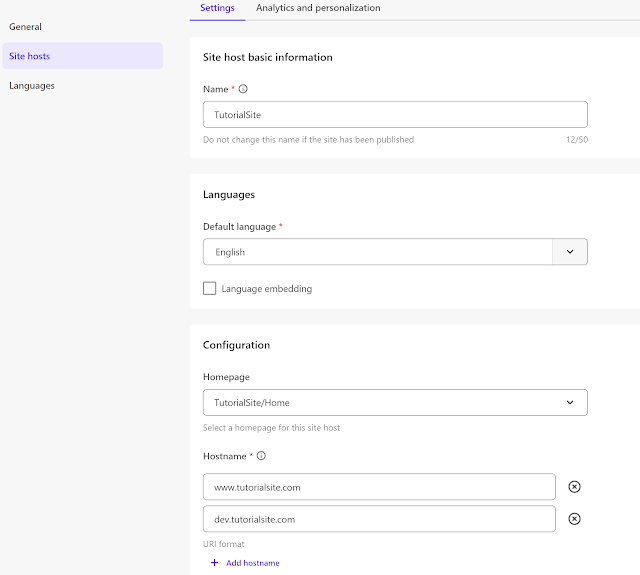
On the “Analytics and personalization” tab, site identifiers for use in CDP and Personalize can be managed.
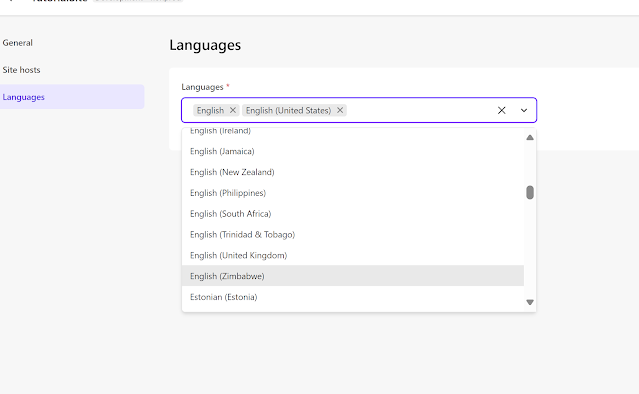
To support multiple languages, users can configure all required languages under the “Languages” tab, allowing content creation in the desired language directly within XM Cloud Pages.
New XM Cloud Navigation Menus
XM Cloud now features an updated, simplified interface to improve access to tools and navigation between projects and environments.
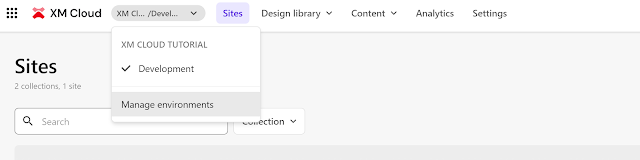
The XM Cloud homepage includes a new navigation header, providing quick access to all XM Cloud tools. Users can open Pages by clicking on a site thumbnail or using the Page Builder button in the navigation header. From Pages, the new Pocket navigation menu offers rapid access to other tools. The Forms and Components builders are accessible via the Design Library menu, while the Media Library, Content Editor, and Explorer can be found under the Content menu. Additional tools are available in the left-hand Settings pane or through the Sitecore Desktop.

Organization Navigation on XM Cloud
The homepage Switcher allows users to easily switch between projects, environments, and organizations. It also provides a quick link to the Sitecore Cloud portal.
Integrated Documentation and Support Tickets
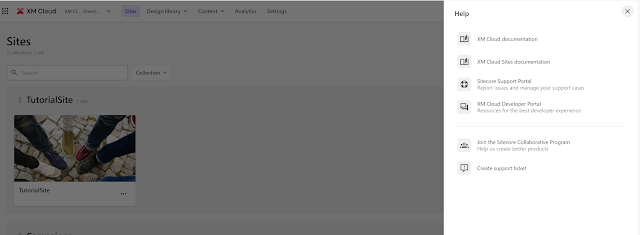
To enhance user experience, the September release introduces integrated Documentation and Support Tickets. A help feature, accessible by clicking the question mark icon, provides direct access to documentation and the ability to raise support tickets with ease.
For more detailed information, please refer to the following resources:
You can also watch a video from Sebastian Winter at Discover Sitecore, which provides a visual walkthrough of the latest features.
Happy Sitecoring!